Feb 20, 2026
•14 min read
WhatsApp + Voice vs. Tenant Portals: Why Channel-First Helpdesks Win in Facilities Management
How multi-channel AI helpdesk automation improves intake quality and reduces coordinator workload by 60%. Learn why conversational AI agents for facilities management outperform portal-based systems, and how intelligent intake across WhatsApp, phone, and email eliminates follow-up coordination in FM operations.

Vibha Ramprakash
Co-Founder, CMO/COO
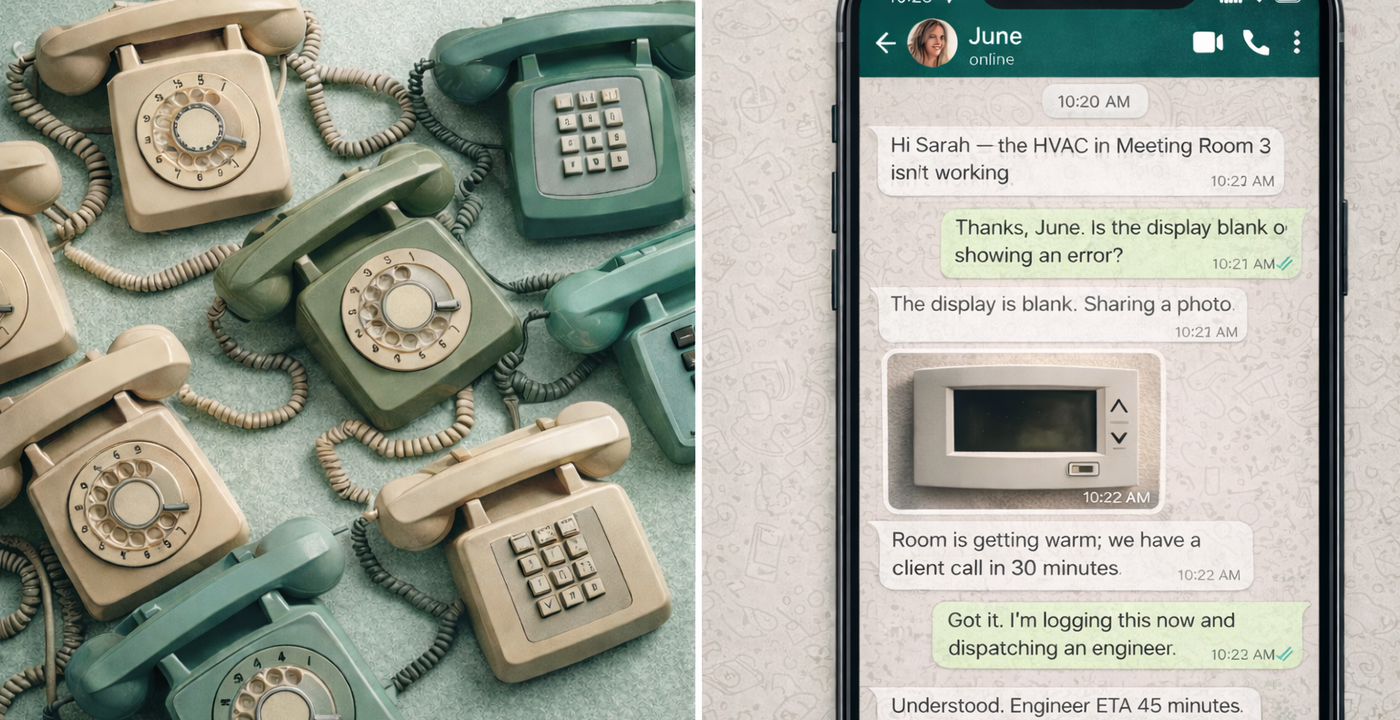
Last Tuesday at 2:17pm, a tenant in a Central London office building sent a WhatsApp message to the facilities helpdesk: "Aircon not working, getting really hot in here."
The helpdesk coordinator—let's call her Maya—saw the message come in. She opened the CMMS, started creating a work order, then realized she needed more information. Which floor? Which zone? How many people affected? What's the actual temperature? Is the unit making any noise?
She sent a WhatsApp reply asking for details. The tenant responded 23 minutes later. Maya had moved on to three other tickets by then. When she finally saw the response, she had to context-switch back, read the thread again, and continue filling out the work order.
Total time from initial message to completed work order: 47 minutes. Actual problem-solving time: zero. Coordination overhead: 100%.
This is the reality of multi-channel facilities management in 2026. People don't report issues through portals anymore—they use whatever's in their hand. But the systems weren't built for that, so coordinators spend their entire day being human translators between messy, urgent human messages and structured software fields.
The promise of tenant portals was simple: give people a proper interface to submit requests, and everything downstream gets easier. The reality? Usage rates hover around 5-15% for reactive maintenance. The other 85-95% comes through WhatsApp, phone calls, emails, and the occasional person walking up to reception.
This isn't a failure of user adoption. It's a fundamental mismatch between how software developers imagine work should happen and how humans actually behave during problems.
Urgency doesn't wait for login flows
There's a specific type of request that exposes the limitations of portal-first thinking: emergency callouts.
It's 11:34pm on a Sunday. A security guard at a commercial property notices water pooling near the server room. He needs help immediately. What does he do?
In portal-first thinking, he should:
- Find the tenant portal URL
- Log in (or reset password if forgotten)
- Navigate to "Submit Request"
- Select category (is it plumbing? building services? emergency?)
- Fill in asset details (which he doesn't know)
- Upload photos (portal upload often fails on mobile)
- Submit and wait for confirmation
In reality, he calls the emergency helpdesk number. Or he WhatsApps the duty manager. Or he sends an email to the facilities email address that's printed on every floor.
Because when something's urgent, humans don't think about proper process. They think about the fastest way to reach another human who can help.
The question facilities teams should be asking isn't "How do we get people to use our portal?" It's "How do we meet people where they already are, and turn their messy messages into structured, actionable work orders?"
The hidden cost of poor intake quality
Here's a number that doesn't appear in any CMMS dashboard but drives most of your coordinator workload: follow-up message rate.
In a typical facilities helpdesk handling 1,000 tickets per month, somewhere between 35-45% of initial requests require at least one follow-up message to gather complete information. Some require three or four.
Let's do the math:
- 1,000 tickets/month
- 40% require follow-up (400 tickets)
- Average 2.3 follow-up messages per incomplete ticket
- 12 minutes of coordinator time per follow-up (context switching, waiting for replies, updating system)
That's 920 follow-up messages per month consuming roughly 184 hours of coordinator time.
For a two-person helpdesk team working 160 hours each per month, that's 57% of total capacity spent just gathering information that should have been collected during initial intake.
This is the core insight of channel-first automation: if you fix intake quality, you fix everything downstream.
When intake is complete:
- Fewer clarification loops
- Faster triage and categorization
- Correct SLA assignment on first attempt
- Proper vendor/engineer dispatch
- Lower reassignment rates
- Reduced reopen cycles
- Better closure documentation
When intake is poor:
- Multiple back-and-forth messages
- Delayed SLA clock start
- Wrong categories requiring manual correction
- Dispatched to wrong vendor
- Vendor can't complete job due to missing information
- Ticket reopened
- Tenant frustrated and calling for updates
The 12 minutes of follow-up coordination balloons into 30-40 minutes of total wasted time across the ticket lifecycle.
What "channel-first" actually means in practice
Channel-first doesn't mean "abandon portals." It means meet users where they are, then translate to where you need the data to be.
The architectural principle is simple:
Work surface: WhatsApp, phone, email (where humans naturally communicate) System of record: CMMS, CAFM, IWMS (where truth lives for audit, reporting, invoicing) Translation layer: Conversational AI agents (that handle the messy middle)
Here's what this looks like in practice with a real scenario:
9:23am - Tenant sends WhatsApp message: "Hi, the toilet in the ladies' bathroom isn't flushing properly. It's on level 3."
9:23am - AI agent responds (within 30 seconds): "Got it—level 3 ladies' toilet. A few quick questions:
- North or south end of the floor?
- Is it not flushing at all, or just weak flush?
- Can you see any visible blockage or is the water level unusual?"
9:25am - Tenant replies: "South end, near the lifts. Weak flush, no blockage I can see."
9:25am - AI agent: "Perfect, thank you. I've logged this as a plumbing maintenance issue—reference FM-3847. SLA: 4 hours. Our plumber will be notified within 10 minutes. I'll update you here when they confirm attendance.
Is there anything else I can help with?"
Behind the scenes (invisible to tenant):
- Work order created in CMMS with complete information
- Categorized: Plumbing > Comfort > Non-emergency
- Asset: Female WC Block 3-South
- SLA: 4 hours (based on comfort + non-emergency)
- Priority score: Medium (single facility affected, non-safety)
- Vendor: Plumbing contractor #2 (based on location coverage)
- Required photos: Before/after of cistern mechanism
- Closure requirements: Flush test confirmation + tenant sign-off
9:29am - Plumber confirms via vendor app
9:29am - AI agent updates tenant: "Update: Our plumber John has confirmed and is en route. ETA 10:35am. He has your contact details and will text when he's 5 minutes away."
10:41am - Plumber completes job and updates system
10:42am - AI agent: "Job completed. John fixed the flush mechanism and tested it. Can you confirm it's working properly now? [Quick reply buttons: ✓ Working | ✗ Still an issue]"
10:43am - Tenant confirms
10:43am - Work order automatically closed in CMMS with:
- Completion notes from plumber
- Time on site: 22 minutes
- Parts used: Flush valve diaphragm
- Before/after photos
- Tenant confirmation timestamp
- Invoice-ready data
Result:
- Total coordinator time: 0 minutes
- Tenant received 3 proactive updates
- Work order fully documented
- SLA met with 2.5 hours to spare
- No follow-up required
That's channel-first execution. The tenant used WhatsApp because it was convenient. The CMMS got complete, structured data. The coordinator never touched it.
The three channels that actually matter (and why each is different)
Most facilities teams receive requests through three primary channels. Each has different characteristics that conversational AI needs to handle:
1. WhatsApp / SMS (65-70% of volume in most UK operations)
Characteristics:
- Asynchronous (people reply when they can)
- Casual language ("AC knackered" not "HVAC system malfunction")
- Often includes photos (which may or may not be helpful)
- Short messages (tenants typing on mobile)
- Expectation of quick acknowledgment
What AI needs to do:
- Respond within 60 seconds to signal "we got it"
- Ask clarifying questions one at a time (not a list)
- Parse casual language ("knackered," "dodgy," "not right")
- Request specific photos when needed ("Can you take a photo of the thermostat display?")
- Maintain conversation context across hours (tenant may respond 3 hours later)
- Send proactive updates without overwhelming
Common intake pattern:
- Initial message: vague description
- AI asks: specific diagnostic questions
- Tenant provides: answers + photo
- AI confirms: categorization + next steps
- Result: complete work order in 3-4 message exchanges over 5-10 minutes
2. Phone calls (20-25% of volume, skewed toward urgent/emergency)
Characteristics:
- Synchronous (immediate response required)
- Caller may be stressed or frustrated
- Background noise (on-site environments)
- Verbal descriptions of technical issues (hard to parse)
- Need for immediate acknowledgment and action
What AI needs to do:
- Natural voice interaction (not IVR menu hell)
- Handle overlapping speech and interruptions
- Parse FM-specific terminology across accents
- Identify urgency signals (tone, keywords, context)
- Provide immediate work order reference number
- Confirm next steps verbally before hanging up
- Trigger SMS follow-up confirmation
Common intake pattern:
- Caller describes issue urgently
- AI asks: clarifying questions
- AI confirms: understanding + action being taken
- AI provides: reference number + ETA
- Result: caller feels heard, work order created with transcript
3. Email (10-15% of volume, often forwarded or CC chains)
Characteristics:
- Formal language
- Often includes thread history (making parsing harder)
- May include attachments (documents, photos, PDFs)
- Sender may not be the person with the problem
- Sometimes includes multiple issues in one email
What AI needs to do:
- Parse complex email threads
- Identify the actual requestor vs. forwarder
- Extract multiple issues if present (create separate tickets)
- Process attachments (photos, floor plans, supplier quotes)
- Reply in appropriate formal tone
- Include proper reference numbers for tracking
Common intake pattern:
- Email arrives with issue description
- AI parses: extracts key details
- AI creates: work order(s) with extracted information
- AI replies: confirmation with reference number(s) + next steps
- Result: email thread becomes structured tickets
Why "conversational" matters more than "automated"
Here's the subtle but crucial difference between chatbot-style automation and conversational AI agents:
Chatbot approach: "Please select your issue category:
- Plumbing
- Electrical
- HVAC
- Building Access
- Cleaning
- Other"
Conversational approach: "What's going on?" [Tenant describes issue in natural language] "Got it—sounds like a plumbing issue with the flush mechanism. I'll get someone out within 4 hours. Which toilet block is it?"
The difference isn't just tone. It's burden of knowledge. The chatbot forces the tenant to understand facilities management categories. The conversational agent takes the tenant's description and translates it into proper categorization.
This matters because tenants aren't facilities experts. They don't know if "the room is too hot" is an HVAC comfort issue or a BMS control issue or a window locking mechanism issue. They just know they're uncomfortable.
A conversational agent can have this exchange:
Tenant: "It's really hot in the meeting room"
Agent: "Which meeting room, and is it just that one room or the whole floor?"
Tenant: "Just boardroom B on level 4. Rest of the floor seems fine."
Agent: "Is the thermostat showing a specific temperature, or is it blank?"
Tenant: "Shows 26 degrees but we set it to 21."
Agent: "Perfect. That helps narrow it down to the fan coil unit serving that room. I'll dispatch our HVAC engineer. They'll check the FCU controls and sensor first. ETA 2 hours. I'll update you here when they're 15 minutes away."
Notice what happened: The tenant provided simple observations. The agent translated that into:
- Asset: FCU-4B-North
- Issue type: HVAC comfort (temperature control)
- Likely cause: Thermostat sensor or FCU controller fault
- Priority: Medium (single room, working hours, no client meeting mentioned)
- Vendor: HVAC specialist (not general maintenance)
- SLA: 4 hours (comfort issue in occupied space)
That translation is the value. The tenant didn't need to know facilities terminology. The agent handled it.
The intake quality scorecard (measuring what matters)
If you're implementing channel-first automation, here are the four metrics that tell you if it's actually working:
1. First-contact resolution rate What percentage of initial requests become complete work orders without follow-up?
- Before channel-first AI: 55-65% (35-45% need follow-up)
- After proper implementation: 85-92%
- How to measure: Track "follow-up messages required" flag in CMMS
Why it matters: Every avoided follow-up saves 12-15 minutes of coordinator time.
2. Average time-to-work-order-creation How long from initial contact to properly formed work order in system?
- Before: 25-45 minutes (due to back-and-forth)
- After: 3-8 minutes (completed during initial conversation)
- How to measure: Timestamp of first contact vs. work order creation timestamp
Why it matters: Faster work order creation = faster SLA clock start = better compliance
3. Work order rework rate What percentage of tickets need category/SLA/vendor reassignment due to poor initial categorization?
- Before: 18-25% (wrong category or wrong vendor assigned)
- After: 3-6%
- How to measure: Track "reassignment" events in CMMS
Why it matters: Rework creates vendor frustration and delays resolution
4. Coordinator hours per 100 tickets (intake phase) How much coordinator time is spent getting tickets into the system?
- Before: 22-28 hours per 100 tickets (averaging 15 minutes per ticket)
- After: 4-7 hours per 100 tickets (only handling exceptions)
- How to measure: Time tracking or labor allocation analysis
Why it matters: This is your labor cost reduction number for CFO approval
The economics are simple (but often invisible)
Here's a scenario most FM leaders will recognize:
You run helpdesk operations for 8 commercial buildings in London. Your team handles about 1,200 service requests per month. You have two full-time coordinators at £32K/year each, plus a part-time coordinator (20 hours/week) at £18K/year prorated.
Total annual helpdesk labor cost: £82K
Now let's break down where that time goes:
Time spent per ticket (average):
- Initial intake and clarification: 8 minutes
- Work order creation: 4 minutes
- Vendor coordination: 6 minutes
- Tenant updates: 5 minutes
- Closure and documentation: 4 minutes
- Exception handling: 3 minutes
Total: 30 minutes per ticket
1,200 tickets/month × 30 minutes = 600 hours/month of coordinator time
Your three coordinators provide: 2 FTE × 160 hours + 0.5 FTE × 80 hours = 400 hours/month capacity
You're already underwater by 200 hours/month. This manifests as:
- Overtime (10-15 hours/week)
- Ticket backlog
- Missed SLAs
- Burnt out coordinators
- High turnover
Now implement channel-first AI that handles intake, creates work orders, and provides basic updates automatically:
Time saved per ticket:
- Initial intake: 8 minutes → 0 minutes (AI handles)
- Work order creation: 4 minutes → 0 minutes (AI handles)
- Basic updates: 3 minutes → 0 minutes (AI handles)
Total saved: 15 minutes per ticket
1,200 tickets/month × 15 minutes saved = 300 hours reclaimed
Now your workload is: 600 hours required - 300 hours automated = 300 hours needed/month
Your capacity: 400 hours/month
You now have 100 hours/month surplus capacity. That's:
- No overtime needed (saving £8-12K/year)
- Faster response times (better SLA compliance)
- Coordinators handling exceptions and relationship management (higher value work)
- Room to take on 2-3 more buildings without adding headcount
Annual savings: £24K in coordinator labor + £10K in overtime = £34K Investment: Typical channel-first AI: £12-18K/year Net savings: £16-22K/year Payback period: 4-6 months
That's the business case. It's not about replacing people. It's about giving them capacity to do the work that actually requires human judgment.
What good looks like: real-world examples
Let me share three real implementations where channel-first made immediate impact.
Example 1: Mid-size FM provider, 12 commercial buildings, Central London
Before:
- 3 full-time coordinators
- 1,400 tickets/month
- 42% required follow-up for missing information
- Average time-to-work-order: 38 minutes
- Coordinator overtime: 12-15 hours/week (£650/month cost)
After (8 weeks of channel-first AI):
- Same 3 coordinators (redeployed to vendor management and compliance)
- 1,600 tickets/month (took on 2 new buildings)
- 9% require follow-up
- Average time-to-work-order: 6 minutes
- Coordinator overtime: 0 hours/week
- New capability: Proactive tenant updates (improved satisfaction scores)
Key success factor: They started with one building as a pilot, measured rigorously, then rolled out across portfolio.
Example 2: Student accommodation provider, 1,200 units across 3 sites
Before:
- Tenant portal with 11% usage
- 89% of requests came via text, call, or knocking on office door
- 2 on-site coordinators constantly interrupted
- High reopen rate (28%) due to poor initial information
- Angry tenant escalations: 15-20/month
After (6 weeks of WhatsApp-first AI):
- Portal still available but promoted less
- WhatsApp became primary channel (QR codes in every building)
- Coordinators work in office without constant interruptions (AI handles intake)
- Reopen rate: 11%
- Angry escalations: 3-4/month (80% reduction)
- Tenant satisfaction scores: 3.8→4.6 out of 5
Key success factor: They promoted the new WhatsApp number heavily during student welcome week. Within 3 weeks, it became the default channel.
Example 3: Corporate campus, single client, 4,000+ employees
Before:
- Formal email-based helpdesk
- High-touch service requirement (VIP client)
- 800 tickets/month
- 68% of tickets came via email, often with complex descriptions
- Coordinator spent 40% of time parsing emails and creating tickets
- Client complained about slow initial response (target: under 30 minutes)
After (4 weeks of email-first AI with WhatsApp option):
- Email still primary channel (as client preferred)
- AI parses complex emails automatically
- WhatsApp promoted for urgent issues
- Initial response time: 4 minutes average (target met 98% of time)
- Coordinator time freed up for relationship management and weekly client reviews
- Client satisfaction: "This is the most responsive facilities team we've ever had"
Key success factor: They trained the AI on 6 months of historical email tickets to understand client-specific terminology and request patterns.
Channel-first is table stakes for 2026 and beyond
Here's what's becoming clear as AI agents roll out across facilities management: the vendors who win won't be the ones with the most sophisticated predictive maintenance algorithms or the prettiest dashboards.
They'll be the ones who meet people where they are.
Because at the end of the day, facilities management is a service business. Tenants don't care about your CMMS workflows or your asset hierarchies or your data lake architecture. They care about three things:
- Can I report problems easily?
- Do I get updates without having to chase?
- Does the problem get fixed?
Channel-first addresses the first two directly. And by fixing intake quality and communication, it makes the third dramatically more likely.
The portal isn't dead. But it's no longer the front door. WhatsApp, phone, and email are the front door. Your job is to make sure whatever comes through those doors gets translated into proper, structured, actionable work—without burning out your coordinators in the process.
That's what channel-first means. That's what intake quality delivers. And that's where facilities helpdesk automation starts to show ROI in weeks, not quarters.
__
Next in this series: Why dispatch is only the beginning—and what "closed-loop coordination" really means when vendors don't respond, jobs run long, and tenants start calling for updates.
Frequently asked questions
Portal usage for reactive maintenance sits around 5 to 15%; the other 85 to 95% of requests come through WhatsApp, phone and email. It is not a failure of adoption but a mismatch. When something is urgent, people reach for whatever is in their hand and want the fastest way to reach a human, not a login flow.
Yes. Tenants raise issues on WhatsApp, phone or email, and a conversational agent asks the diagnostic questions, categorises the issue, sets the SLA, dispatches the vendor and sends proactive updates. The portal can still exist, but it is no longer the front door. The human channel is the work surface; the CMMS stays the system of record.
Channel-first does not mean abandoning portals. It means meeting people on the channels they already use, then translating their messy messages into structured work orders. WhatsApp, phone and email are the work surface; the CMMS or CAFM is where the truth lives for audit, reporting and invoicing; and a conversational AI agent handles the messy middle between them.
In a typical helpdesk handling 1,000 tickets a month, 35 to 45% of initial requests need at least one follow-up to gather complete information, which can consume more than half of a small team's capacity. Fix intake quality and everything downstream improves. First-contact resolution can rise from 55 to 65% up to 85 to 92%, with faster triage and fewer reopens.
In most UK operations, WhatsApp and SMS carry 65 to 70% of volume, phone calls 20 to 25% and skew toward urgent or emergency issues, and email 10 to 15%. Each behaves differently, so a conversational agent has to acknowledge quickly, ask one question at a time, parse casual language, and handle voice calls and email threads appropriately.

Vibha Ramprakash
Co-Founder, CMO/COO
Vibha has spent four years building technology for real estate and asset management operators. Today she works directly with FM leaders across the UK and UAE on the challenges that sit between good technology and the people who have to use it every day.
LinkedIn